Двухуровневый список ListView в приложении для Android
Хотите двух (много) уровневый список в приложении Android? — их есть у меня (с).
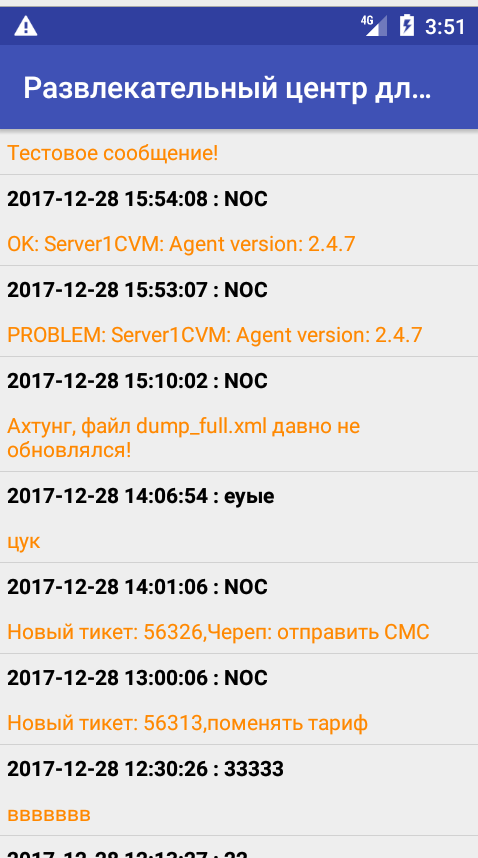
Как это реализовано?
1) Создаем активность и ложим на неё listView
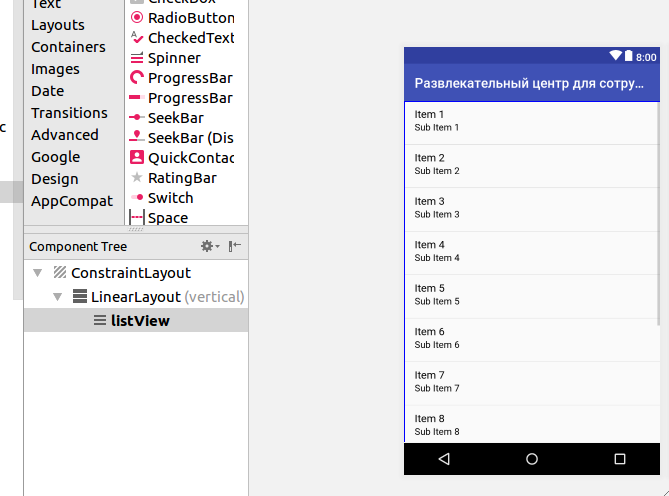
<?xml version="1.0" encoding="utf-8"?>
<android.support.constraint.ConstraintLayout xmlns:android="http://schemas.android.com/apk/res/android"
    xmlns:app="http://schemas.android.com/apk/res-auto"
    xmlns:tools="http://schemas.android.com/tools"
    android:layout_width="match_parent"
    android:layout_height="match_parent"
    tools:context="ru.yarteleservice.noc.noc.Form2">

    <LinearLayout
        android:layout_width="match_parent"
        android:layout_height="match_parent"
        android:orientation="vertical">

        <ListView
            android:id="@+id/listView"
            android:layout_width="match_parent"
            android:layout_height="wrap_content"
            android:longClickable="false" />
    </LinearLayout>
</android.support.constraint.ConstraintLayout>
2) Создаем layout который будет отвечать за отображение наших данных внутри listView
wedwed
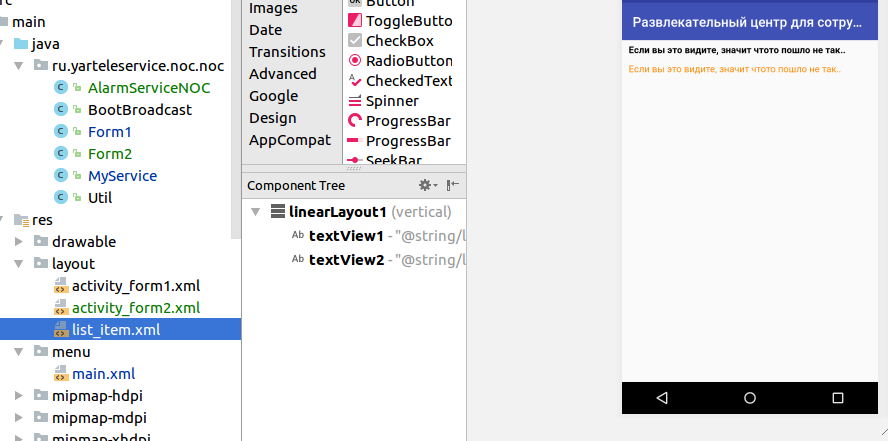
<?xml version="1.0" encoding="utf-8"?>
<LinearLayout android:id="@+id/linearLayout1"
    android:layout_width="match_parent"
    android:layout_height="match_parent"
    android:layout_marginLeft="5dp"
    android:layout_weight="1"
    android:orientation="vertical"
    xmlns:android="http://schemas.android.com/apk/res/android">

    <TextView xmlns:android="http://schemas.android.com/apk/res/android"
        android:id="@+id/textView1"
        android:layout_width="match_parent"
        android:layout_height="wrap_content"
        android:gravity="left"
        android:padding="5dp"
        android:text="@string/list_view_txt"
        android:textColor="@android:color/black"
        android:textStyle="bold"></TextView>

    <TextView
        android:id="@+id/textView2"
        android:layout_width="match_parent"
        android:layout_height="wrap_content"
        android:padding="5dp"
        android:text="@string/list_view_txt"
        android:textColor="@android:color/holo_orange_dark"></TextView>

</LinearLayout>
3) При помощи SimpleAdapter заполняем этот список
// сначала чистим список
ListView lw = (ListView) findViewById(R.id.listView);
lw.setAdapter(null);

// Обьявляем массив значений-ключей и заполняем его
 ArrayList<HashMap<String, String>> list = new ArrayList<>();
HashMap<String, String> map;

map = new HashMap<>();
map.put("textView1","Заголовок");
map.put("textView2", "Тело");
list.add(map);

// Говорим адаптеру: заполни нам список по этому массиву

SimpleAdapter m= new SimpleAdapter(getApplicationContext(), list,
                            R.layout.list_item,
                            new String[] {"textView1", "textView2"},
                            new int[] {R.id.textView1,R.id.textView2});

lw.setAdapter(m);