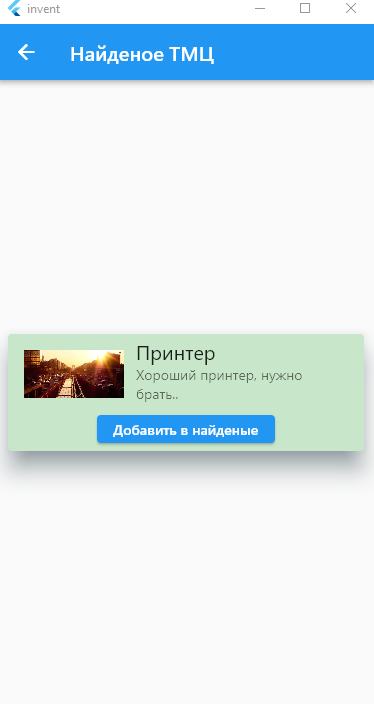
Теперь, когда мы умеем читать данные из сети, сохранять их локально, осталось научится отображать их в виде красивого списка на отдельном экране. Создадим отдельный файл tmclist.dart:
import 'package:flutter/material.dart';
import 'package:invent/globals.dart' as globals;

class TMCList extends StatefulWidget {
  _TMCListState createState() => _TMCListState(); // сюда передаем текущее состояние страницы
}
class _TMCListState extends State<TMCList> {// _ впереди класса, означает чтоб скрыть доступ из другх файлов
  @override
  Widget build(BuildContext context) {
    return Scaffold(
      appBar: AppBar(title: Text('Список ТМЦ')),
      body: Center()
}
      )
    );
  }
}
И далее в body вставляем виджет ListView.builder который может строить список на основе списка данных. В простейшем случае это было бы:
body: ListView.builder(
            padding: const EdgeInsets.all(8),
            itemCount: users.length,
            itemBuilder: (BuildContext context, int index) {
              return Container(
                padding: EdgeInsets.symmetric(vertical: 10),
                child: Column(
                  crossAxisAlignment: CrossAxisAlignment.start,
                  children: [
                    Text(globals.tmclist[index]["name"],, style: TextStyle(fontSize: 22)),
                  ],
                )
              );
            }
        ),
Но так не интересно, просто список без «украшений», потому я чкть усложнил, но суть остается едина:
 body: ListView.builder(
        padding: const EdgeInsets.all(8),
        itemCount: globals.tmclist.length,
        itemBuilder: (BuildContext context, int index) {
          return Container(
            padding: EdgeInsets.symmetric(vertical: 10),
            child: Column(
              mainAxisSize: MainAxisSize.max,
              mainAxisAlignment: MainAxisAlignment.spaceAround,
              children: [
                Align(
                  alignment: AlignmentDirectional(0, 0),
                  child: Row(
                    mainAxisSize: MainAxisSize.max,
                    mainAxisAlignment: MainAxisAlignment.spaceBetween,
                    children: [
                      Align(
                        alignment: AlignmentDirectional(0.05, 0),
                        child: Text(
                          globals.tmclist[index]["id"],
                          textAlign: TextAlign.start,
                        ),
                      ),
                      Text(
                        globals.tmclist[index]["name"],
                        textAlign: TextAlign.start,
                        style: TextStyle(fontSize: 22)
                      ),
                      Image.network(
                        'https://picsum.photos/seed/49/600',
                        width: 100,
                        height: 100,
                        fit: BoxFit.cover,
                      ),
                      new Divider()
                    ],
                  ),
                ),
                Text(
                    globals.tmclist[index]["comment"],
                    style: TextStyle(fontSize: 18)
                ),
              ],
            ),
          );
        }
      )
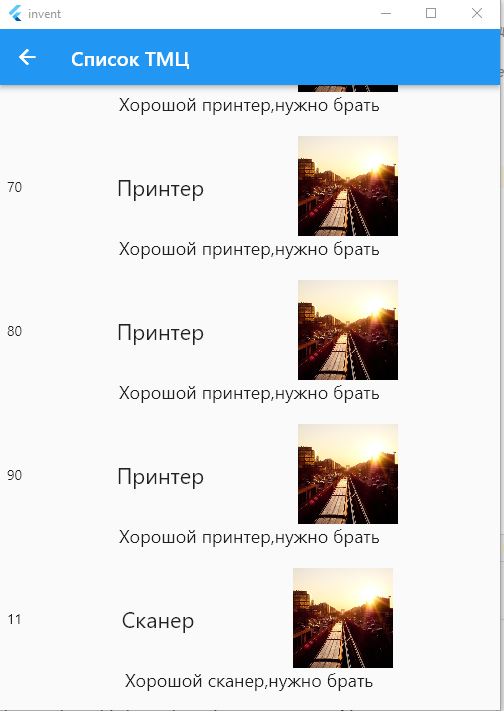
Результат:
Остался вопрос, как навесить действие на выбор какого то пункта, и распознать какой собственно пункт выбрали? А вот для этого служит специальный виджет GestureDetector, который собственно это всё и позволяет делать:
  appBar: AppBar(title: Text('Список документов инвентаризации')),
        body: ListView.builder(
            padding: const EdgeInsets.all(8),
            itemCount: globals.MyInvents.length,
            itemBuilder: (BuildContext context, int index) {
              return
                GestureDetector(
                      onTap: (){
                        print(index);
                      },
                      child: Container(
                      padding: EdgeInsets.symmetric(vertical: 10),
                      child: Column(
                        mainAxisSize: MainAxisSize.max,
                        mainAxisAlignment: MainAxisAlignment.spaceAround,
                        children: [
...
Получим при клике по пунктам меню: